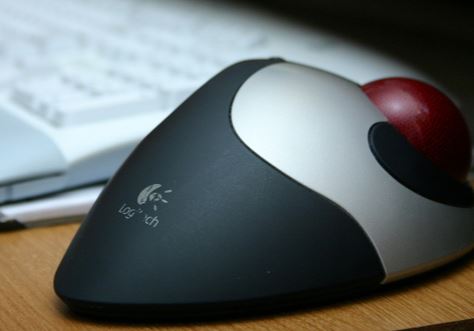
Best wireless trackball mouse in 2026
A trackball mouse moves the cursor with your thumb or fingers instead of moving the whole device across a desk, which makes it a genuinely different experience from a standard mouse — less arm movement, less desk space needed, and for a lot of people, noticeably less wrist strain over a full workday. Here are two of the best wireless options available right now, depending on how much you want to spend.
1. Logitech MX Ergo S — best overall
This is Logitech’s flagship trackball, and it shows in the details. The 20-degree tilt angle is the standout feature — it’s noticeably more comfortable than a flat trackball for extended use, and Logitech’s ergonomics testing claims a meaningful reduction in forearm muscle strain compared to a regular mouse. Six programmable buttons and a dedicated precision mode button (for switching between fast cursor movement and pixel-accurate control) make it genuinely useful for detailed work like photo editing, not just general browsing. It connects to two devices and switches between them instantly, and a one-minute USB-C charge gets you through most of a day.
Who it’s for: Anyone serious about ergonomics or doing detailed cursor work who’s willing to pay a premium for the most refined trackball available.
2. Logitech Ergo M575S — best value
The M575S delivers most of what makes a trackball appealing — less arm movement, reduced strain, a sculpted resting shape — at roughly a third of the MX Ergo S’s price. It skips the adjustable tilt angle and drops to three customizable buttons instead of six, but for most people using a trackball for general browsing and office work rather than detailed editing, that’s not a meaningful loss. Battery life is rated up to 18 months on a single AA, so it’s a mouse you can genuinely forget about once it’s set up.
Who it’s for: Anyone curious about trying a trackball for the first time, or who wants the comfort benefits without the MX Ergo S price tag.
Is a trackball mouse worth switching to?
The learning curve is real — expect a week or two before it feels natural, especially if you’re used to a standard mouse. But for anyone dealing with wrist or forearm fatigue from regular mouse use, or working in a cramped desk space where a mouse mat doesn’t fit well, it’s one of the more effective changes you can make. Start with the M575S if you’re unsure; it’s cheap enough to try without much risk, and you’ll know within a couple of weeks whether the MX Ergo S’s extra features are worth the upgrade.
As an Amazon Associate we earn from qualifying purchases. Prices and availability are accurate as of publish time and may change.