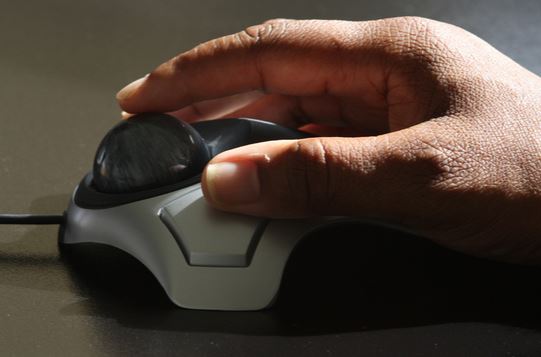
Best wired trackball mouse in 2026
Wireless has taken over most of the trackball market, but a wired trackball still has a real advantage: zero latency, no battery to charge or replace, and one less device competing for Bluetooth or 2.4GHz bandwidth on a busy desk. If you want the ergonomic benefits of a trackball without any wireless considerations at all, here’s the pick worth knowing about.
Kensington Expert Mouse — the wired trackball standard
Kensington has made trackballs for decades, and the Expert Mouse remains the reference point for wired trackballs because of one standout feature: a large 55mm ball controlled with your fingers rather than your thumb, which a lot of long-time trackball users find more comfortable and precise over a full workday than thumb-operated designs. It uses optical sensing to track tiny flecks embedded in the ball itself for smooth, accurate cursor control, and the scroll ring around the ball handles vertical and horizontal scrolling without needing a separate wheel. It’s a simple two-button design, so it won’t compete with gaming mice on programmability, but for pure cursor comfort and precision in office work, it’s held up remarkably well against newer wireless competitors.
Who it’s for: Anyone who wants a trackball with zero wireless latency or charging to think about, or who specifically prefers finger control over thumb control.
Wired vs wireless trackball: does it matter?
For most people, no — modern wireless trackballs like the Logitech MX Ergo S have effectively closed the latency gap. Go wired specifically if you want to eliminate charging entirely, you’re in an environment with heavy wireless interference, or you simply prefer the finger-controlled design that most wired options (including this one) tend to use instead of thumb control.
As an Amazon Associate we earn from qualifying purchases. Prices and availability are accurate as of publish time and may change.